Showing posts with label Computer Graphics. Show all posts

Saturday, October 15, 2011

List of simple steps in Graphic Design on Photoshop ?

Graphic design as a form of visual communication inhabits the ocean of media. It is undeniable that media has powerful impact to society. Printed materials like newspaper and magazines need professional lay outing and photo editing to entertain their readers. Textbooks in the academe require strict and appropriate cover design and page illustrations.The usage of graphic design limitation is unpredictable. With human's desire to create arts, graphic design last through time. As human creativity and technology evolve, so do graphic design.

Kinds of Graphic Design

There are two kinds of computer graphics - raster (composed of pixels) and vector (composed of paths). Raster images are more commonly called bitmap images.

A bitmap image uses a grid of individual pixels where each pixel can be a different color or shade. Bitmaps are composed of pixels. Vector graphics use mathematical relationships between points and the paths connecting them to describe an image. Vector graphics are composed of paths.

Although computer graphics is a vast field that encompasses almost any graphical aspect, we are mainly interested in the generation of images of 3-dimensional scenes. Computer imagery has applications for film special effects, simulation and training, games, medical imagery, flying logos, etc. Computer graphics relies on an internal model of the scene, that is, a mathematical representation suitable for graphical computations.

Graphic designers prepare sketches or layouts-by hand or with the aid of a computer-to illustrate their vision for the design. They select colors, sound, artwork, photography, animation, style of type, and other visual elements for the design. Designers also select the size and arrangement of the different elements on the page or screen. They may create graphs and charts from data for use in publications, and they often consult with copywriters on any text that accompanies the design. Designers then present the completed design to their clients or art or creative director for approval.

Graphic design is the process of creating the appearance of a publication, presentation, or web site in an attractive, logical manner. When done successfully, it attracts attention, adds value to a message, enhances readership and readability, simplifies, organizes, provides selective emphasis, and creates unity.

Steps in the Graphic Design Process:

  1. Analyze the audience. 
  2. Determine the purpose of your message. 
  3. Decide where and how your message will appear (whether it will be a printed publication, presentation, or web site). 
  4. Establish goals. 
  5. Organize text and graphics. 
  6. Choose an appropriate format and layout. 
  7. Select appropriate typefaces, type sizes, type styles, and spacing. 
  8. Add and manipulate graphics. 
  9. Organize text and graphics. 
  10. Proofread 
  11. Refine and fine-tune.
Wednesday, April 27, 2011

Computer Graphics


Computer graphics are graphics created using computers and, more generally, the representation and manipulation of image data by acomputer.
The development of computer graphics has made computers easier to interact with, and better for understanding and interpreting many types of data. Developments in computer graphics have had a profound impact on many types of media and have revolution izedanimation, movies and the video game industry.


The term computer graphics includes almost everything on computers that is not text or sound. Today almost every computer can do some graphics, and people have even come to expect to control their computer through icons and pictures rather than just by typing.

Here in our lab at the Program of Computer Graphics, we think of computer graphics as drawing pictures on computers, also called rendering. The pictures can be photographs, drawings, movies, or simulations -- pictures of things which do not yet exist and maybe could never exist. Or they may be pictures from places we cannot see directly, such as medical images from inside your body.

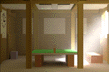
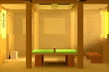
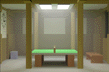
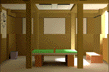
 We spend much of our time improving the way computer pictures can simulate real world scenes. We want images on computers to not just look more realistic, but also to BE more realistic in their colors, the way objects and rooms are lighted, and the way different materials appear. We call this work "realistic image synthesis", and the following series of pictures will show some of our techniques in stages from very simple pictures through very realistic ones.


Object Rendering

  
Computer graphics uses several simple object rendering techniques to make models appear three-dimensional.

Shading

   
Shading techniques extend the realistic appearance of objects and introduce features such as transparency and textures.

Color

 
Computers don't create color exactly the way we see it.

Ray Tracing

Reflection and Transparency
 

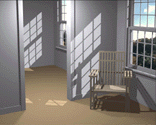
The best way to appreciate how far these simple techniques have been developed is through much more complex (and more recent) Cornell computer graphics images
 Radiosity

Why Radiosity?
   
Most surfaces are diffuse, not shiny, and ray tracing does not correctly depict how light reflects from diffuse surfaces. Our laboratory has played a major role in developing radiosity techniques for more realistic and more physically accurate rendering.


Quality of Light
   
Our research image sampler shows more current work in radiosity and other techniques.